
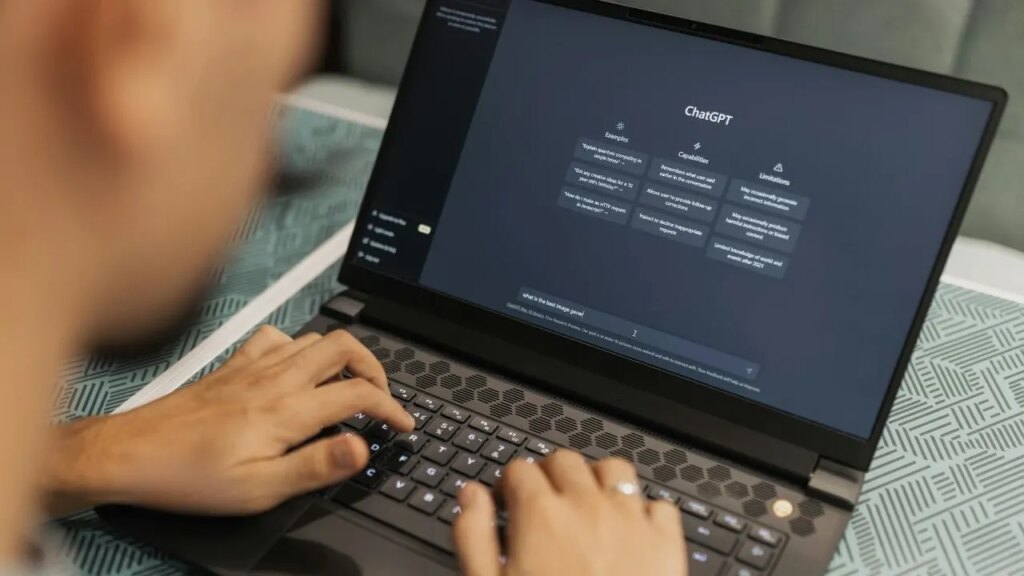
Recent findings by security researchers have unveiled a sophisticated phishing campaign that targets users of ChatGPT, the popular AI-driven platform by OpenAI. This campaign employs deceptive emails that mimic subscription notifications, urging users to update their payment information under the guise of a payment issue. As cybercriminals grow more cunning in their tactics, it is essential for users to be aware of these threats and know how to protect themselves from potential security breaches.
| Article Subheadings |
|---|
| 1) Understanding the Phishing Campaign |
| 2) Identifying Red Flags |
| 3) The Mechanics of the Scam |
| 4) Preventative Measures to Take |
| 5) Actions to Take if Compromised |
Understanding the Phishing Campaign
The phishing campaign targeting ChatGPT users has been uncovered by cybersecurity experts at Cofense, a firm specializing in phishing defense. The campaign utilizes well-crafted emails designed to deceive recipients into thinking there is an issue with their subscription. Users who subscribe to the service may receive these emails, which claim that a recent payment has failed and that immediate action is required. Cybercriminals leverage the urgency of these messages, preying on the fear of account disruption. As people frequently check their email for important notifications, especially ones alerting them to potential financial issues, they may fall prey to clicking on malicious links provided in the correspondence.
Identifying Red Flags
One significant red flag in this phishing attempt is the domain from which the email is sent. The address linked to the phishing emails has been found to originate from a suspicious domain, which does not align with the legitimate domains used by OpenAI for customer communications. The emails typically display the logo of ChatGPT and use familiar language but examining the sender’s address can quickly reveal the deceit. Users should note that OpenAI’s legitimate emails come from specific domains such as @openai.com, @mail.openai.com, and similar addresses. Therefore, checking the sender’s actual address is a crucial step in identifying possible phishing attempts.
The Mechanics of the Scam
The phishing scam operates intricately, starting with a fake email that resembles an authentic subscription notice. Upon clicking simple buttons such as “Update Payment Information,” users are redirected through a Google API link, which leads them to a fraudulent site mimicking the ChatGPT login page. This redirecting tactic is particularly insidious since it uses a well-known service to increase the perceived legitimacy of the link. Cybercriminals often replicate the visual aesthetics of legitimate websites, making it challenging for users to discern that they are on a malicious page. Victims entering their login credentials in this fake portal unknowingly transmit their sensitive information directly into the attackers’ hands, often leading to unauthorized access to their accounts.
Preventative Measures to Take
Users can take several measures to protect themselves from falling victim to such phishing scams. Firstly, always go directly to the official website of a service rather than clicking links provided in emails. For ChatGPT users, it is advisable to log in directly at chatgpt.com and review any billing issues within the app or the website settings. Additionally, users should be vigilant about the sender information in their emails, examining the complete email address rather than just the displayed name. By utilizing a password manager, individuals can also create strong, unique passwords that enhance account security. Furthermore, enabling multi-factor authentication (MFA) adds an extra layer of protection, ensuring that even if a password is compromised, unauthorized access is thwarted.
Actions to Take if Compromised
If a user inadvertently enters their login information on a suspicious site or provides payment details, immediate action is essential. Changing the password right away can prevent unauthorized access to the account. Following this, users should check their active sessions to ensure that no unknown devices are logged in. ChatGPT allows users to log out of all sessions through the settings, which can be crucial in blocking unauthorized access. In instances where payment information has been disclosed, contacting the respective card issuer promptly can help mitigate the risk of fraud. Users are advised to monitor their financial statements closely for any signs of unauthorized activity and take necessary actions as recommended by their banking institution.
| No. | Key Points |
|---|---|
| 1 | A phishing campaign is targeting ChatGPT users through emails that appear to be legitimate subscription notifications. |
| 2 | Users should check the full sender email address to verify authenticity, as scammers use unrelated domains. |
| 3 | The phishing links redirect users through legitimate services, deceiving them into entering sensitive credentials on fake pages. |
| 4 | To safeguard accounts, users should enable multi-factor authentication and employ unique passwords. |
| 5 | Immediate action is crucial if credentials are compromised; changing passwords and notifying card issuers can help mitigate risks. |
Summary
In summary, the recent phishing campaign targeting ChatGPT users highlights the increasing sophistication of cyber threats in the digital landscape. With attackers leveraging urgency and familiar branding to deceive users, it is vital for individuals to adopt cautious practices for online security. By being aware of the red flags and implementing preventative measures, users can significantly reduce their risk of becoming victims of these malicious schemes. Staying vigilant and informed in this ever-evolving cyber environment remains paramount for ensuring personal and financial safety while using online services.
Frequently Asked Questions
Question: How can I identify a phishing email?
Phishing emails often contain spelling mistakes, generic greetings, and sender addresses that do not match the legitimate domain of the organization. Always verify the sender’s email address and avoid clicking on links directly.
Question: What should I do if I clicked on a phishing link?
If you accidentally clicked on a phishing link, immediately change your passwords for any accounts you may have accessed. It’s also advisable to run a security scan on your device to check for malware.
Question: Is two-factor authentication really necessary?
Yes, two-factor authentication adds an extra layer of security by requiring a second form of verification in addition to your password, making it much harder for attackers to gain unauthorized access to your accounts.