

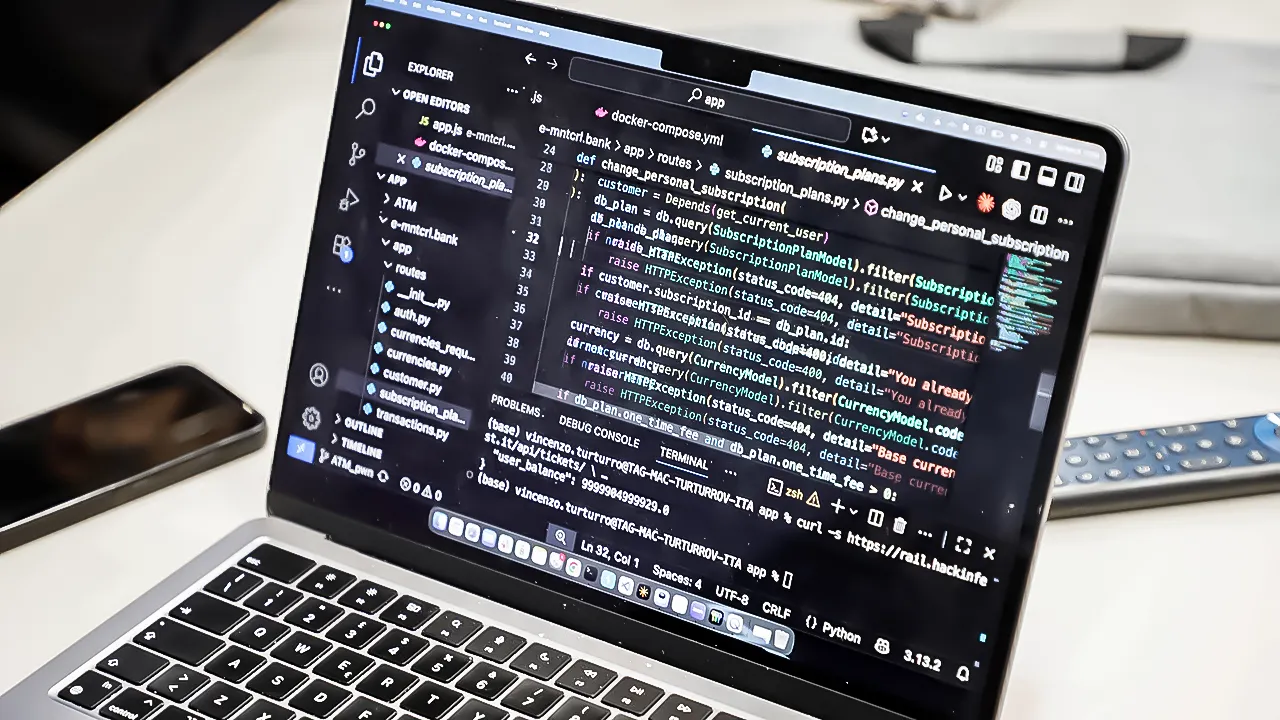

Recent cybercriminals have devised a new method to bypass automated email filters by manipulating subject lines with invisible Unicode characters. This trick allows phishing emails to avoid detection while still appearing legitimate to unsuspecting recipients. Researchers warn that this evolving threat not only compromises individual email security but also stresses the importance of vigilance and education in preventing such attacks.
| Article Subheadings |
|---|
| 1) Overview of the New Threat |
| 2) How the New Trick Works |
| 3) Why This Phishing Technique is Super Dangerous |
| 4) Identifying Phishing Emails |
| 5) Practical Steps for Protection |
Overview of the New Threat
In an era where email communication is a daily necessity, phishing attacks have grown increasingly sophisticated. Cybercriminals continuously adapt their tactics, and a recent report indicates that the subject line of emails has become a new target for manipulation. By embedding invisible characters within the subject, these attackers ensure that their emails evade detection by standard security filters. This recent evolution in phishing tactics raises concerns about the effectiveness of current email security protocols.
Historically, phishing attacks aimed to deceive individuals into giving away sensitive information through more overt means, such as alarming messages that prompt immediate action. However, as defenses have advanced, so too have the methods employed by cybercriminals. The adjustment in strategy now involves creating seemingly harmless email subject lines capable of bypassing necessary security scrutiny.
How the New Trick Works
Researchers have closely analyzed the mechanics of this latest phishing technique. By incorporating invisible Unicode characters, such as soft hyphens, cybercriminals can hide these markers within the subject line of emails. This issue arises because traditional email filters primarily rely on detecting specific patterns and keywords to identify malicious content. When attackers insert invisible characters, the filters fail to recognize the phishing attempt, allowing these emails to slip through undetected.
For instance, a subject line that reads “Your Password is About to Expire” could have soft hyphens inserted between every letter, rendering it unreadable by security systems while still appearing normal to the human eye. This method of encoding, particularly when combined with deceptive language in the body of the email, significantly increases the chances that a user will engage with the phishing content.
Why This Phishing Technique is Super Dangerous
This new method poses a unique risk because it exploits the limitations of automated systems designed to protect users’ inboxes. Most phishing detection strategies rely on identifying common patterns, keywords, and known malicious URLs. However, when these patterns are disrupted through the manipulation of subject lines, it creates vulnerabilities that can be easily exploited at scale.
Additionally, the simplicity with which cybercriminals can adopt this technique is alarming. The necessary tools and encoding methods are readily available, enabling widespread implementation with minimal technical know-how. This flexibility allows attackers to generate large volumes of phishing emails quickly, each designed to look legitimate and evoke a sense of urgency among recipients.
Furthermore, the psychological effects of urgency combined with familiarity play a vital role in the success of such scams. The more authentic an email seems, the less likely a recipient is to scrutinize it fully. This increase in deception reaffirms the need for continuous education about recognizing phishing tactics.
Identifying Phishing Emails
Skilled cybercriminals have learned to create phishing emails that mimic legitimate communications, so identifying these threats requires a keen eye. A lack of visible red flags can lead to casual users clicking through without hesitation. Therefore, understanding how to spot these harmful messages is crucial for individual protection.
A hallmark of phishing emails often lies in their links. Cybercriminals disguise malicious URLs behind seemingly harmless text, leading unsuspecting recipients to unsafe websites. One effective preventive strategy is to utilize a private email service that reveals the actual destination of the links before opening them. This safeguard ensures that users can ascertain the validity of a link without exposing themselves to potential harm.
Practical Steps for Protection
While the landscape of phishing attacks may be evolving, there are proactive measures individuals can take to mitigate risks. Implementing robust security practices can significantly limit opportunities for cybercriminals to succeed.
First, utilizing a password manager remains one of the most effective ways to protect against phishing attempts. By generating unique passwords for each account, users can ensure that even if one account is compromised, the others remain secure. Password managers often include built-in breach scanners that alert users if any of their information has been exposed in known attacks.
Moreover, activating two-factor authentication (2FA) adds an additional layer of security. In this case, even if attackers acquire a user’s password, they would still require access to a secondary verification method such as a mobile device.
Installing reliable antivirus software can further bolster defenses. This software not only scans for malware but can also identify and block suspicious activity before it affects your devices, preventing cybercriminals from gaining access to sensitive information.
Additionally, users are advised to limit the amount of personal data they share online. Attackers frequently utilize publicly available information to tailor their phishing messages, making them appear more convincing. By mitigating one’s digital footprint, users reduce the material available for attackers to exploit.
Lastly, actively reviewing the sender’s details is crucial. Cybercriminals often take advantage of minor alterations in email addresses, where a single misspelled character can make an email appear legitimate.
| No. | Key Points |
|---|---|
| 1 | Cybercriminals use invisible characters to bypass email filters. |
| 2 | Phishing emails increasingly mirror legitimate communications. |
| 3 | Most filters rely on recognizable patterns that this technique disrupts. |
| 4 | Users can employ password managers and 2FA for additional security. |
| 5 | Awareness and education are critical in defending against new phishing tactics. |
Summary
The rise of phishing attacks that leverage invisible characters poses a significant threat to email security systems. As cybercriminals continue to evolve their tactics, it becomes increasingly important for users to maintain vigilance and adopt robust protective measures. Awareness, combined with practical security strategies, remains essential for keeping personal information safe.
Frequently Asked Questions
Question: What are invisible Unicode characters?
Invisible Unicode characters are special symbols that do not display visibly but can change how text is interpreted by email systems. Attackers use them to manipulate subject lines in phishing emails so that they evade detection by filters.
Question: How can I tell if an email is a phishing attempt?
Common signs of phishing emails include unexpected requests for personal information, misspelled words, and urgent calls to action. Always inspect the sender’s email address and avoid clicking on any hyperlink until its legitimacy is confirmed.
Question: What should I do if I suspect I’ve received a phishing email?
If you receive an email that you believe is a phishing attempt, do not engage with it. Report the email to your email provider, and delete it immediately. Consider running a security check on your accounts to ensure they have not been compromised.
